Roadmap
The voyage so far, and the course ahead.
WhisperAct set sail on the App Store on June 18, 2026. This map follows every checkpoint since: what each update brought, where the app is today, and the leg that’s being prepared right now.
- 25App Store updates since launch
- 4major versions, 1.x to 4.x
- 15recording languages
- 2interface languages
- Shipped
- You are here
- Being prepared
- Uncharted
Setting sail
The app launched with the whole loop in place: speak, review, save to Apple’s apps.
-
WhisperAct lands on the App Store
Speak a memo and it becomes reminders in Apple Reminders, events in Apple Calendar and to-dos in the app. Capture from anywhere: Siri, the Action Button, Control Center and widgets.
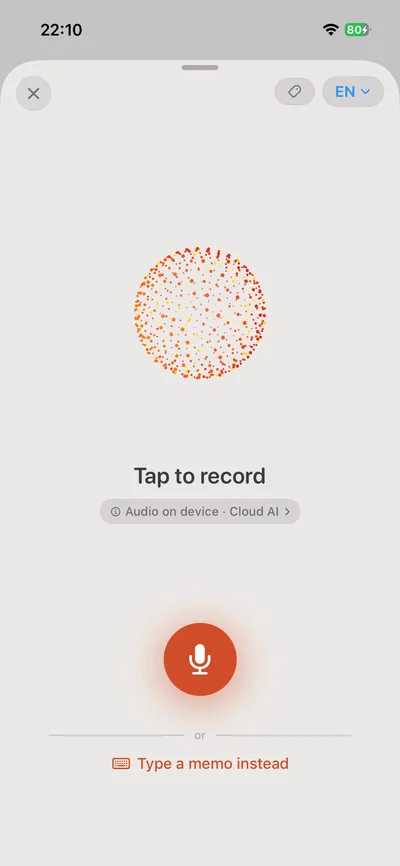
Recording a memo, on iPhone -
Type it or speak it
Typed memos in any language, sorted the same way as spoken ones. Review before anything saves: fix a type or date, add what was missed. To-dos appear on the widget.
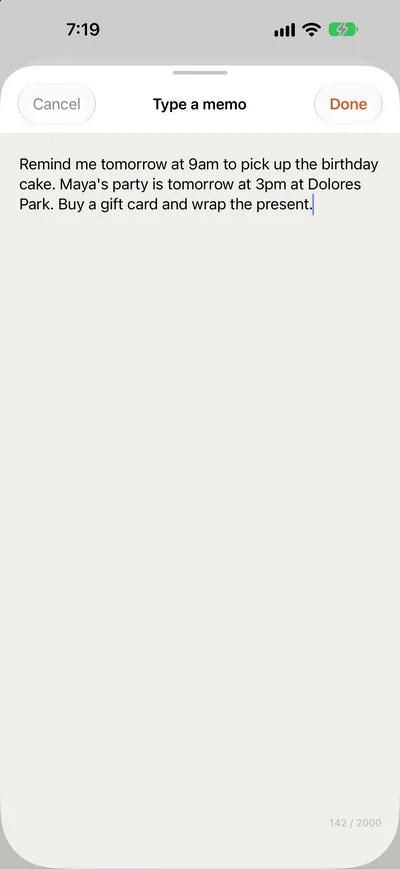
Type a memo, as it looks in 4.0.0 -
Sturdier foundations
Separate Apple sync allowances for Reminders and Calendar. Upgraded Cloud AI with notes on items, duplicate-reminder detection and clearer conflict choices. Japanese recording. A destination setting for Apple apps or WhisperAct, plus a status widget with its own themes.
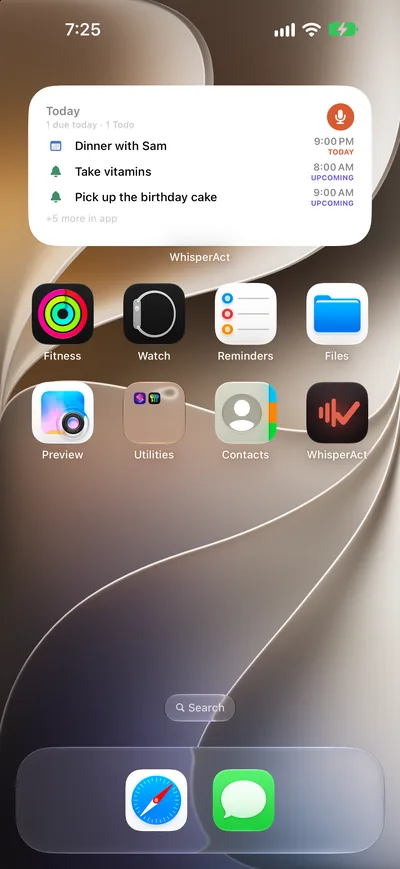
The Today widget, as it looks in 4.0.0


Finding the way
Six updates in one month: a new Plan, more languages, repeats you can just say.
-
Pro themes
Royal Blue and Forest join the original Warm Paper look, with smoother previews and better small-screen support for recording.
-
A plan you can read
Plan is rebuilt around Today, Upcoming and Inbox, with search and a clearer Next Up. Daily Review arrives to clear overdue and undecided items in a quick morning pass.
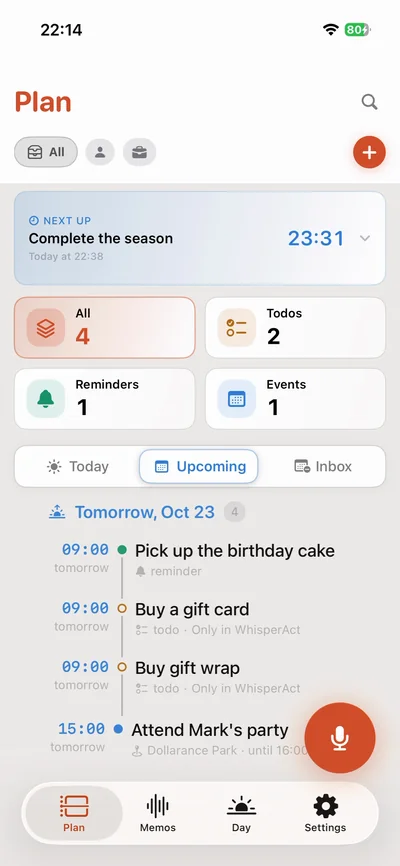
Plan’s Next Up countdown, on iPhone -
15 languages, two interfaces
Recording grows to 15 languages, from Spanish and French to Korean and Japanese, alongside English, Urdu and Arabic. The app itself speaks Spanish as well as English.
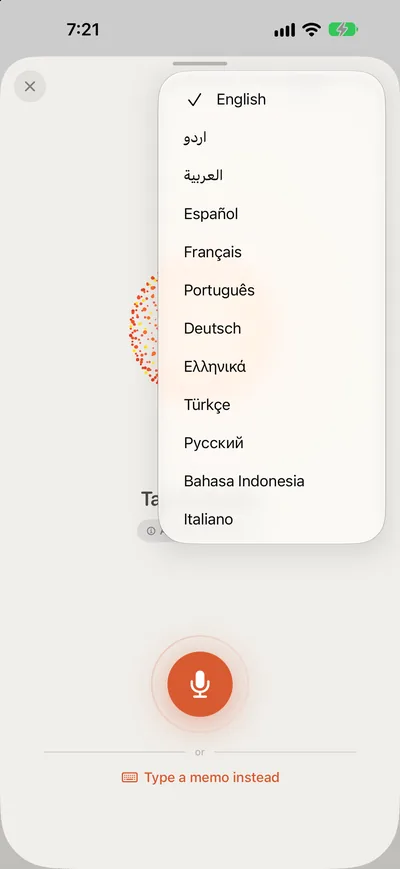
Choosing a recording language, as it looks in 4.0.0 -
Quick Add and Apple Reminders import
Add a task, reminder or event by hand from Plan, no memo needed. Pro brings incomplete reminders in from chosen Apple Reminders lists. Settings reorganized into clear sections.
-
Hello, Product Hunt
WhisperAct launched to the Product Hunt community. Early comments praised voice-to-tasks and asked for two things, a one-tap record widget and location reminders. Both have since shipped.
-
Repeats, spoken
“Take my medicine every morning at 8” sets the schedule and the repeat. Mark one done and the next is waiting. Custom repeats from a quick picker; vague timings get a question, not a guess. Free for everyone; Pro also writes native series into Apple’s apps.
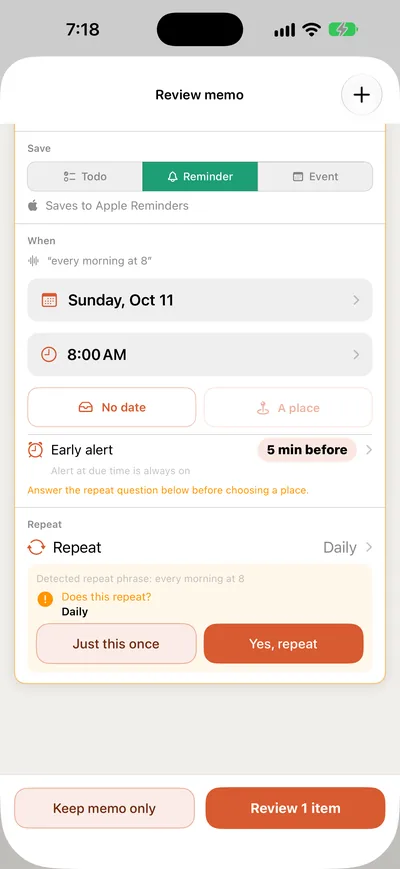
Confirming a repeat, as it looks in 4.0.0 -
Steadier, and in your language
Skip one occurrence of a repeat without touching the rest. Titles, notes and places stay in the language you recorded in. A quiet iCloud status icon shows up only when sync actually needs attention.


New territory
Reminders learn where you are, and the app learns when your day happens.
-
Reminders that know where you are
“Grab stamps when I get to the post office” becomes a real Apple Reminders location alert. A full-screen place picker with map search, radius, arrive and leave, plus Saved Places for the spots you use most.
-
Personal or Work
Tag a memo as Personal or Work before you speak, then filter Memos and Plan by it. Running out of storage now shows clear recovery steps instead of losing work.
-
Your morning, your way
Time Preferences: say what morning, afternoon and evening mean to you, when your day starts and ends, and how long an event is when you don’t say. “Morning” and “evening” now work in every recording language. Pro members get a Plan & Billing page.
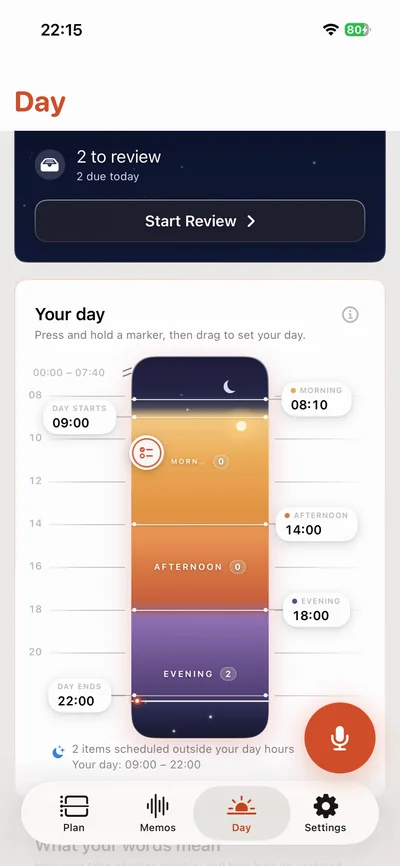
What your words mean, on iPhone

A calmer day
A gentler first recording, repeats you confirm, and a whole tab for your day.
-
Clearer from the first recording
A smoother first run with examples and clearer permission guidance. Active and Done memos grouped by date. A repeat heard in your words is shown for a quick confirm before it’s saved, and items always land in the list or calendar you expect. Larger, easier text on iPad.
-
Meet the Day tab
A calm home for your day replaces the Usage tab. Drag markers on a timeline to shape your day, see the exact time each phrase turns into, set Daily Review and evening check-ins, and watch a live sky that follows your day. Daily Review gains Back, Skip and a clearer summary.
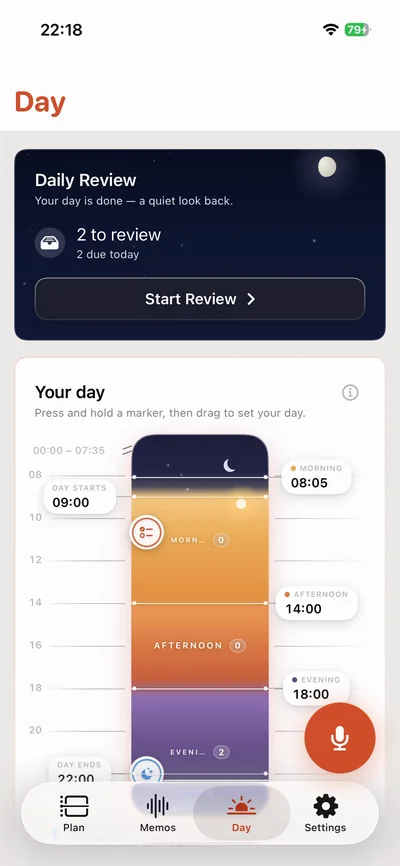
Setting your day, on iPhone

Where we are
The current App Store release.
-
Room to work on iPad, and Pro for life
Smarter handling of dates, times, repeats and multi-step instructions, with clearer questions when something is uncertain. iPad gets landscape and Split View layouts, keyboard shortcuts, pointer support and separate windows. A Lifetime option joins the monthly and yearly plans.
- Scheduling follows your preferred times, including days that end after midnight.
- Easier completion and rescheduling: bigger checkboxes, steadier rows, clearer Undo, and quick date choices from a long-press in Plan.
- More reliable Apple Reminders sync for repeating reminders.
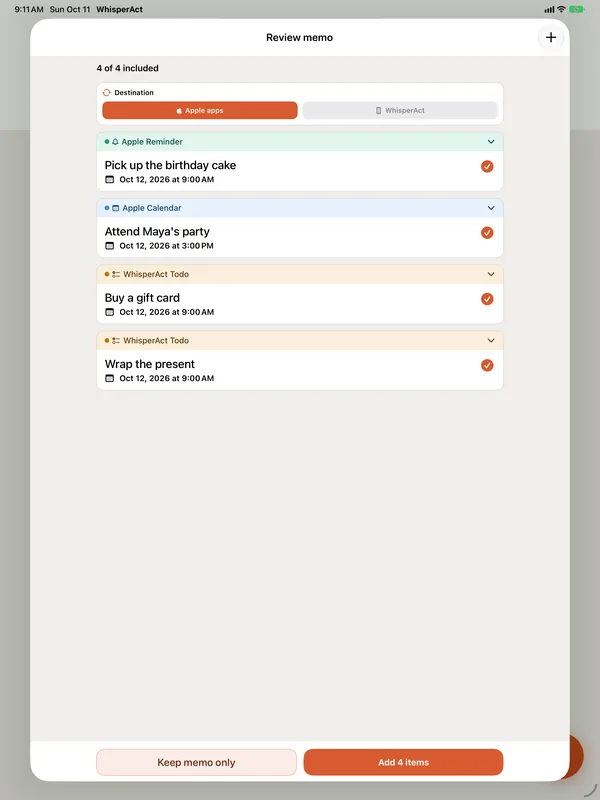
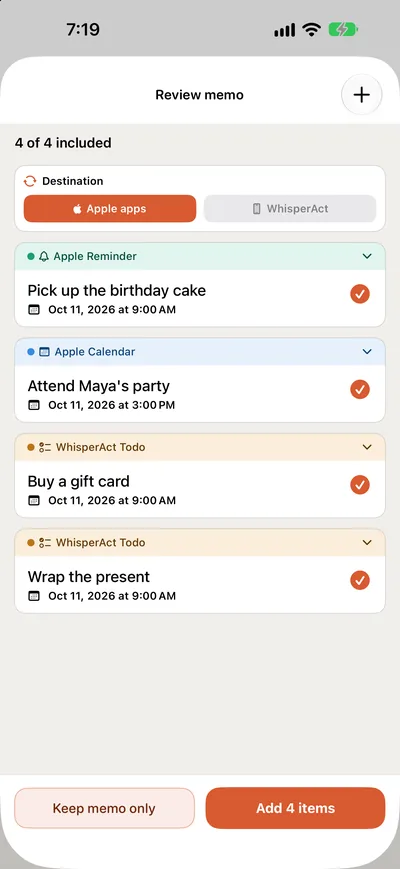
Review memo on iPad and iPhone in 4.0.0


Next checkpoint
Being prepared now. Not yet submitted to the App Store, so details can still change.
-
Quick Record, and fewer surprises
- A Quick Record Lock Screen widget that opens straight into recording.
- Note edits made in Apple Calendar flow back into WhisperAct.
- Overdue reminders keep their alerts after a reschedule.
- A clearer explanation of when Cloud AI is used and what it receives.
- Redesigned Reminders and Calendar access sheets, and a calmer recovery sheet for interrupted saves.
-
You set the course
Every leg of this map started as something people asked for: the Product Hunt comments became a record widget and location reminders; support emails shaped the review screen. What should the next checkpoint be?

Join the voyage.
Free on the App Store for iPhone and iPad with iOS 26 or later. Pro removes the limits when you want more.
Download on the App StoreDates and contents of shipped checkpoints come from the App Store version history. App screens and screen recordings show WhisperAct as it is today, not as it looked at the time.